
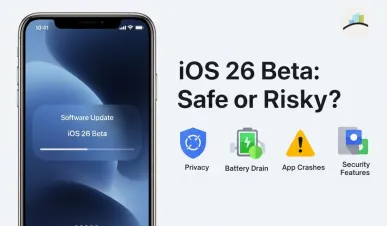
Is iOS 26 Beta Safe to Install on Your iPhone?
With the launch of iOS 26 Beta, many iPhone users are excited to try out the latest features introduced by Apple. The beta version offers a glimpse of what’s coming in the full iOS 26 release. However, before upgrading your iPhone, it’s important to understand both the potential advantages and the risks involved in using a beta software version.
MORE ARTICLES:
What Is iOS 26 Beta?
iOS 26 Beta is a pre-release version of Apple’s upcoming iOS 26 operating system. It is primarily released for developers and public testers who want to explore new functionalities before the stable version becomes widely available. The purpose of the beta is to identify bugs, test new features, and collect feedback from real users to improve the system ahead of the official launch.
It’s important to note that the beta version is not fully stable. Some features may not work as expected, and there could be bugs or performance issues that are not yet resolved.
Potential Risks of Installing iOS 26 Beta
Battery Drain Issues
One of the most common problems reported by users after installing iOS 26 Beta is rapid battery drain. This happens because the system runs several background tasks during the initial period, such as re-indexing apps and updating system processes. These tasks consume extra power, leading to faster battery depletion than usual. Generally, this issue improves after a couple of days once the system stabilizes.
Compatibility Problems
Another significant concern is app compatibility. Since many third-party applications are not yet optimized for iOS 26, users may face frequent crashes or malfunctioning apps. Commonly affected apps include Camera, Face ID, and Photos. Some essential functions may stop working properly, which can disrupt the normal usage of the device.
Connectivity and User Interface Glitches
Users have also reported problems with device connectivity and interface glitches. These include issues like intermittent loss of Wi-Fi or Bluetooth connections, improper scaling of the CarPlay interface, and glitches when sending iMessages—sometimes causing messages to send as SMS or RCS unexpectedly. Such inconsistencies can be frustrating and affect daily usability.
Benefits of Installing iOS 26 Beta
Improved Security Features
One of the key improvements in iOS 26 is enhanced security. The update introduces features such as Memory Integrity Enforcement (MIE) and Enhanced Memory Tagging Extension (EMTE). These are designed to protect the system against advanced spyware and memory attacks. By strengthening the way memory is managed, iOS 26 helps prevent malicious software from exploiting system vulnerabilities.
New Design and Interface Features
iOS 26 brings a fresh design overhaul known as the "Liquid Glass" design. This offers a more modern look with rounded, transparent visuals that create a cleaner interface. Additional features include customizable color-tintable icons, animated notifications, and adaptable widgets that provide a more personalized user experience. These visual and functional changes aim to make the operating system more attractive and easier to use.
Should You Install iOS 26 Beta?
If you are a developer or a tech enthusiast interested in trying the latest features and willing to encounter some bugs along the way, installing the beta on a secondary device is a good option. It allows you to test the new design, security improvements, and additional features without putting your main iPhone at risk.
However, if your iPhone is your primary device that you rely on for work, communication, or important daily tasks, it is best to wait for the stable version. The stable release will have most of the bugs fixed and will offer a smoother, more reliable experience.