
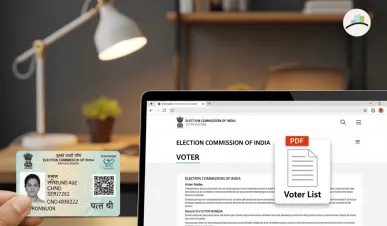
As India moves closer to major electoral cycles, citizen activity on Election Commission of India (ECI) platforms has surged dramatically. Search volumes for terms like “voter list PDF,” “voter list 2003 pdf download,” “ECI Gujarat,” “ECI Jharkhand voter list,” and “voter card download” have all seen a sharp rise—indicating the renewed push among voters to verify their details and ensure they are included in the upcoming electoral rolls.
Officials confirm that updated electoral rolls for several states are being uploaded in phases, prompting citizens to download the latest PDFs or submit correction requests through official forms.
Growing Demand Across States
From Gujarat to Jharkhand, state CEO (Chief Electoral Officer) websites are experiencing high traffic as voters search for district-wise and booth-wise electoral rolls. The trend reflects both the increased digital awareness among voters and the Election Commission’s ongoing initiative to clean up voter databases.
Many voters are also searching for historic voter lists, including the 2003 PDF, often needed for documentation or verification in long-term domicile, land, or legal matters.
MORE ARTICLES:
Why the SIR Form Is Trending
Alongside the spike in voter list downloads, another major trend is the rising query volume for “How to fill SIR form.”
The SIR (Self-Information Report) form is widely used for:
-
Correcting voter details
-
Updating address
-
Adding missing family members
-
Fixing spelling errors
-
Declaring age or identity verification details
With many states in the process of revising their electoral rolls, the SIR form has become critical for citizens needing changes before the freeze dates.
How to Download the ECI Voter List PDF
To assist voters, officials have reiterated the process for downloading updated electoral rolls:
National Portal (NVSP / Voters Portal)
-
Visit voters.eci.gov.in
-
Select Electoral Roll (PDF)
-
Choose State → District → Assembly Constituency → Polling Booth
-
Complete captcha and download the PDF file
State CEO websites for Gujarat and Jharkhand have also deployed refreshed user interfaces to make access simpler, especially for rural voters.
How to Fill the SIR Form (Step-by-Step)
Authorities are urging voters to verify their details early by submitting the SIR form wherever needed. The recommended method includes:
-
Download SIR form from your state CEO portal or the national voter services site.
-
Enter personal details exactly as per Aadhaar or supporting documents.
-
Specify the type of correction requested — name, age, address, spelling, etc.
-
Attach proof documents such as Aadhaar, PAN, electricity bill, rent agreement, etc.
-
Submit online through voter portal or
-
Submit offline at your nearest Booth Level Officer (BLO) office.
ECI officials state that corrections submitted through the SIR form typically reflect in the next revision cycle of the electoral roll.
What’s Next?
With elections approaching, the Election Commission is expected to release more updated PDFs across all states in batches. Voters are urged to frequently check the ECI portal and ensure their details are accurate to avoid complications on polling day.
Authorities have also advised citizens to avoid third-party apps or unofficial links circulating on social media, emphasizing that all voter list PDFs should be downloaded only from official ECI or CEO websites.