
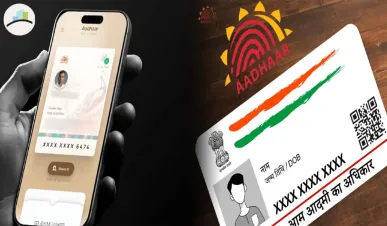
The Unique Identification Authority of India (UIDAI) has rolled out a brand‑new Aadhaar mobile application for both Android and iOS users. This update marks a major step in India’s digital identity journey — allowing Aadhaar card‑holders to carry and share their identity securely from their smartphone. It brings in features like face‑ID authentication, QR code sharing and smoother updates of personal details.
Here’s everything you need to know: how to install it, what new features it offers, and what this means for you.
How to Install the Aadhaar App
Android users:
-
Open the Google Play Store and search for Aadhaar – UIDAI or the official app name.
-
Tap Install, wait for the download to complete.
-
Once installed, open the app and register your Aadhaar number by verifying your mobile number linked with Aadhaar.
-
Set up a secure PIN or biometric lock for the app.
iOS users:
-
Visit the App Store on your iPhone or iPad.
-
Search for Aadhaar – UIDAI (make sure it’s the official version).
-
Tap Get / Download, authenticate via Apple ID.
-
Open the app, link your mobile number, and set your access lock.
Tip: Always download from the official store and check developer as UIDAI to avoid fake apps.
MORE ARTICLES:
Key Features You Should Know
-
Face ID / Live Face Authentication: The new app uses your smartphone’s camera to verify your face against Aadhaar’s biometric data — reducing need for physical cards.
-
Dynamic QR Code Sharing: You can share your Aadhaar details (full or masked) via a secure QR code — useful when identity verification is needed but you don’t want to expose full data.
-
Soft Copy of Aadhaar: You no longer need to carry the physical Aadhaar card; the app provides a trusted digital version.
-
Update Personal Details: Some updates — like address or phone number — can be initiated from the app or linked portal, making it easier for citizens.
-
Secure Data Control: You decide what data to share and can restrict usage — offering stronger privacy and control.
-
Offline Proof via QR: In certain verification scenarios, authorities can scan your QR instead of taking a photocopy, speeding up service delivery.
Why This Matters
With India’s identity ecosystem growing fast, the new Aadhaar app simplifies how millions of people access services. Whether it’s opening a bank account, checking‑in at a hotel or availing a government benefit, this app aims to make life smoother.
It also reduces dependence on paper documents, cuts down fraud risk and improves convenience — especially for those who travel often or live in remote locations where enrolment centres are far away.
What You Should Check
-
Make sure your mobile number is still linked with your Aadhaar; this is necessary for app registration.
-
Update your Aadhaar details if you moved address, changed name or completed ten years since enrolment.
-
Use the app’s settings to enable notifications and set app‑level security (PIN, biometrics).
-
Keep your Aadhaar credentials safe — do not share your PIN or full QR with unknown websites or callers. If the app suggests sharing your resident number on public forums, treat it as suspicious.
What’s Next for the Aadhaar App
-
Wider rollout across all Indian states—UIDAI plans phased expansion of features like live updates and full digital enrolment.
-
Further enhancing privacy: including mask‑sharing of Aadhaar to allow minimum necessary data for verification.
-
Integration with other services: e‑sign, digital locker, seamless onboarding for banks and service providers using this app.
-
Phasing out physical documents in many routine verifications — expect QR code to become standard in many official services.