
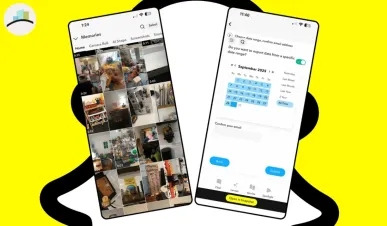
How to Protect Your Snapchat Memories Amid New Feature Update
Snapchat users, there’s some news you need to know! With the recent feature update from Snapchat, there have been concerns about losing your precious memories. But don’t worry—there are easy steps you can take to protect your Snap memories and ensure they’re safe despite the update. Whether you want to avoid automatic updates, download your data, or subscribe for more features, here’s how you can take control. Let’s walk you through the process!
MORE ARTICLES:
Turn Off Auto-Update on Your iPhone
One of the simplest ways to protect your memories is by turning off the auto-update feature on your iPhone. This will give you control over when Snapchat updates and ensures that your memories aren’t accidentally affected by changes you didn’t intend.
-
Steps to Disable Auto-Update on iPhone:
-
Open the Settings app on your iPhone.
-
Scroll down and tap on iTunes & App Store.
-
Under the Automatic Downloads section, turn off the Apps toggle.
-
This will prevent apps from updating automatically and give you more control over when you update Snapchat.
-
By doing this, you can avoid unwanted changes and keep your memories safe!
Download Your Snapchat Data
If you want an extra layer of security for your memories, Snapchat allows you to download all your data, including photos, videos, and chats. This feature ensures that all your important memories are backed up securely and can be retrieved if needed.
-
Steps to Download Your Snapchat Data:
-
Open Snapchat and tap on your profile icon at the top left corner.
-
Go to Settings (the gear icon).
-
Scroll down to the Data Management section and tap on Download My Data.
-
Snapchat will then email you all your data within a few hours, including Snaps and Memories.
-
Once you receive the email, you can download the file and keep a personal backup of everything. It’s a great way to ensure you don’t lose any important memories!
Subscribe for Extra Protection
For those who want to take their Snapchat experience to the next level, you can simply buy a plan or subscription. Snapchat offers premium features, such as additional cloud storage and extra data management options, to help you secure your memories even further.
-
Why Subscribe?
-
Get extra storage for your memories.
-
Keep unlimited access to your Snaps and stories.
-
Enjoy other exclusive features that keep your data safe.
-
If you’re someone who has a lot of important snaps and memories on Snapchat, a subscription could be a worthy investment!
Recap: How to Protect Your Snap Memories
-
Turn Off Auto-Update: Prevent unwanted changes by turning off auto-updates on your iPhone.
-
Download Your Data: Use Snapchat’s “Download My Data” feature to get all your snaps and memories delivered straight to your inbox.
-
Subscribe for Extra Protection: Consider subscribing to Snapchat’s premium plan for additional storage and security features.
With these steps, you can ensure that your precious Snap memories stay safe and sound, no matter what updates Snapchat rolls out in the future!